Why a Social Media QR Code Business Card Is the Smartest Move for Modern Networking
We have all been there. You are at a networking event, a casual meetup, or even just chatting with someone in a coffee line who loves what you do. They ask for your card. You fumble through your wallet, hand over a flimsy piece of paper, and hope they don't lose it before they get home. Or worse, you realize you left your stack on the kitchen counter. In a world where our digital footprint is often more important than our physical presence, relying solely on traditional printed cards feels increasingly outdated. This is where a Social Media QR Code Business Card changes the game entirely.
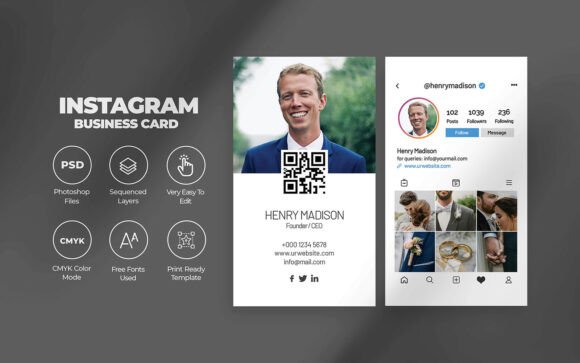
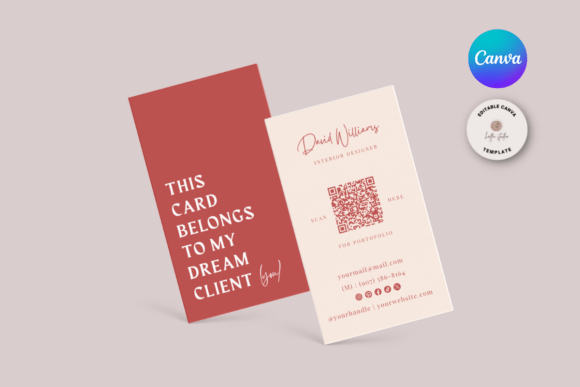
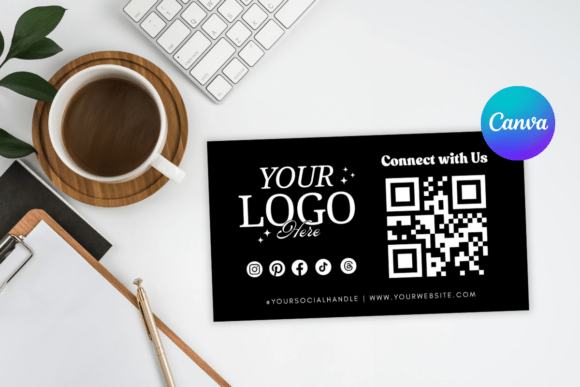
This isn't just a trendy graphic; it is a functional bridge between your physical interaction and your digital portfolio. When someone scans this code, they aren't just getting a phone number; they are instantly connected to your Instagram, LinkedIn, portfolio website, or booking calendar. It removes the friction of typing URLs, searching for handles, or saving contacts manually. The experience is seamless: scan, view, connect. But beyond the convenience, there is a layer of flexibility that paper simply cannot offer.
The Freedom of Digital Editing and Instant Updates
One of the most compelling reasons to switch to this format is the ability to update your information without wasting money on reprints. With a standard printed card, if you change your job title, launch a new podcast, or update your portfolio URL, your existing stock becomes obsolete. You either throw them away or hand out outdated info. A Social Media QR Code Business Card solves this by decoupling the design from the data.
Since this template was made by Canva, a simple and free online editing tool, you maintain full control. You don't need to install any software or hire a graphic designer for minor tweaks. Just use your web browser to edit the design elements, colors, or text whenever you feel like refreshing your look. More importantly, because the QR code can link to a dynamic landing page or a Linktree-style hub, you can update the destination links behind the code without changing the card itself. This means the physical (or digital) card you hand out today will still work perfectly five years from now, even if your social media strategy evolves completely.
Real-World Scenarios Where This Shines
Understanding the utility of this tool requires looking at how different people actually live and work. It is not a one-size-fits-all solution; it adapts to your specific niche.
- For Freelancers and Creatives: Imagine you are a photographer meeting a potential client at an art gallery. Instead of handing them a card with a tiny URL they might mistype, you hand them a card with a QR code. They scan it and immediately see your latest gallery, your pricing packages, and a "Book Now" button. The conversion happens in seconds while their interest is peaked.
- For Educators and Coaches: Teachers and workshop leaders often need to share resources, syllabi, or contact forms with students and parents. A Social Media QR Code Business Card placed on a desk or handed out at the end of a seminar can direct users straight to a Google Drive folder, a newsletter sign-up, or a video introduction. It streamlines communication and keeps everyone on the same digital page.
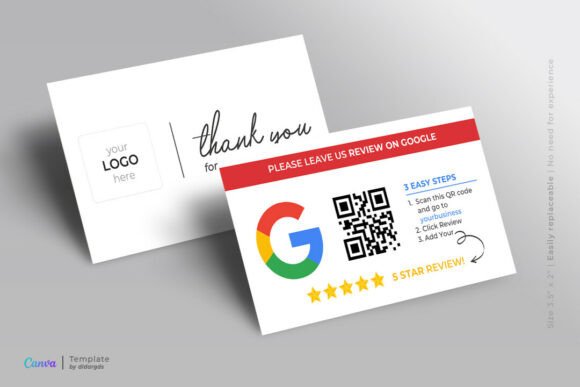
- For Small Business Owners: Retailers and cafe owners can use these cards to drive traffic to their review pages or loyalty programs. Handing a card to a satisfied customer that leads directly to a "Leave us a Review" page captures positive sentiment immediately, rather than hoping they remember to do it later.
- For Hobbyists and Makers: Whether you knit, build furniture, or code apps as a side hustle, you likely have an Etsy shop or a GitHub profile. This card legitimizes your hobby as a serious venture. It gives you a professional touchpoint to share your passion projects at community markets or local meetups without needing a massive inventory of marketing materials.
Understanding the Product: What You Are Actually Getting
It is crucial to manage expectations regarding the delivery and nature of this product. THIS IS A DIGITAL ITEM. NO PRINTED ITEM WILL BE SHIPPED TO YOUR HOME. When you purchase this template, you are buying the design file and the rights to customize it, not a box of physical cards. After you purchase this template, you will receive a .zip file containing a PDF file. Inside, you will find a 2×4.5″ inches template, which is the standard business card size.
This approach offers significant advantages. First, it is immediate. There is no shipping wait time; you can start editing minutes after purchase. Second, it is cost-effective. You only pay for the design once, and then you decide how many copies to print and where. All you need is a FREE Canva account and a basic knowledge of Canva to get started. The learning curve is minimal, making it accessible even for those who aren't tech-savvy.
How to Bring Your Card to Life
Once you have customized your design in Canva, the next step is production. One of the beauties of owning the source file is the flexibility in printing. HOW TO PRINT YOUR FILES is entirely up to your budget and timeline preferences.
You can print at home if you have access to good quality cardstock and a decent printer. This is perfect for last-minute needs or small batches. Alternatively, you can have the files printed professionally at stores like Staples or Office Depot, which often offer same-day service. For higher volume or premium finishes like matte, gloss, or soft-touch coatings, an online print service like Vistaprint or a local print shop is an excellent choice. Because the file is standardized at 2×4.5″, it fits perfectly into standard business card holders and wallets, ensuring compatibility with existing networking habits.
Considerations Before You Start
While the benefits are clear, there are a few practical things to consider before diving in. First, think about where your QR code will lead. Sending someone to a cluttered homepage with too many options can be overwhelming. It is often better to link to a dedicated landing page that curates your most important links—your top social profile, your current project, and your contact method. Test the code extensively on different phones and lighting conditions before you commit to printing hundreds of copies.
Second, consider your audience. While most people aged 20–50 are comfortable scanning QR codes, ensure you include a brief call to action near the code, such as "Scan to connect" or "View my portfolio." This guides the user and reduces hesitation. Finally, remember that the design should reflect your brand. Since you are using Canva, take advantage of the ability to match fonts and colors to your existing website or logo. Consistency builds trust.
In conclusion, adopting a Social Media QR Code Business Card is more than just a design upgrade; it is a strategic shift toward efficient, modern networking. It respects the recipient's time by providing instant access to your digital world while giving you the freedom to evolve your brand without constant reordering. Whether you are a seasoned entrepreneur or just starting your first side hustle, this tool puts your best foot forward in a format that today's world understands and appreciates.